


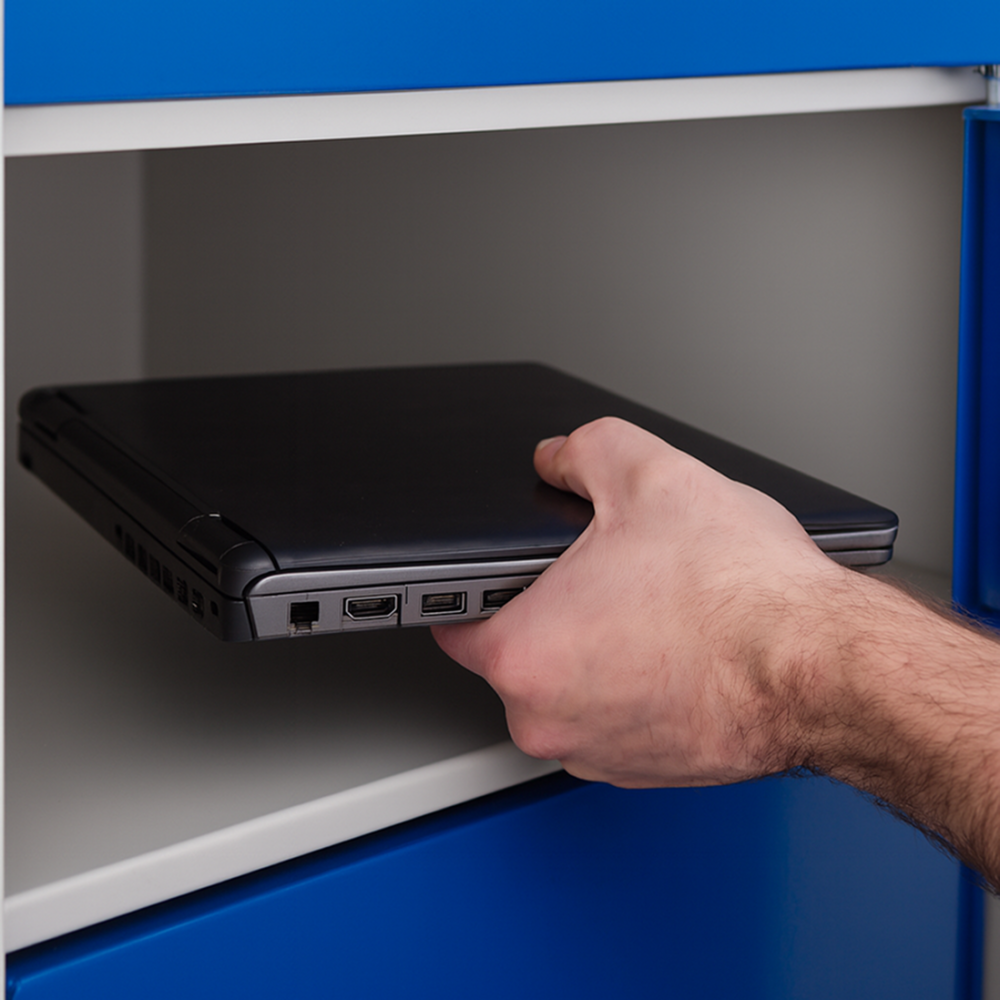
Laptop lockers provide a secure way to store, issue, exchange, charge and recover workplace devices. This guide explores the different types of laptop lockers available, where they fit within IT asset management, and how self-service can improve equipment delivery without adding unnecessary workload for IT teams.
IT asset management has become increasingly sophisticated. Organisations can maintain detailed asset registers, remotely configure endpoints, manage service requests through ITSM platforms and monitor the condition and security of devices throughout much of their working life.
Yet there is one part of the asset lifecycle that remains stubbornly physical.
A laptop still has to get from somewhere to someone. A new employee needs to receive their equipment. A colleague whose device has failed needs a replacement. Loan equipment has to be issued and recovered. When an employee leaves, their laptop, charger and other peripherals need to find their way back into the organisation.
For many IT teams, these apparently simple handovers create a disproportionate amount of administration. Emails need to be exchanged, appointments arranged, employees and technicians need to be in the same place at the same time, and equipment may need to be transported between locations.
The challenge is therefore not simply knowing what assets the organisation owns. Effective IT asset management also requires organisations to consider how physical equipment moves between IT and its users throughout the asset lifecycle.
Laptop lockers are one way of addressing that physical logistics problem. However, the term covers a wide range of systems, from relatively simple secure storage and charging cabinets to smart lockers capable of managing authenticated collections, device swaps and returns.
Understanding those differences is important because not every IT team is trying to solve the same problem.
What is a laptop locker?
At its simplest, a laptop locker is a secure compartment or bank of compartments designed to store laptop computers and, in some cases, other IT equipment such as tablets, handheld devices, chargers and peripherals.
That basic definition only goes so far because the capabilities of different systems vary considerably.
Some laptop lockers are principally designed for secure storage. Employees place their devices into individually secured compartments rather than leaving them on desks or taking them elsewhere.
Others are designed as laptop charging lockers, providing power inside the compartment so that devices can be stored and charged simultaneously. These are commonly associated with environments where equipment is shared between multiple users.
More sophisticated systems add digital access control, user authentication, transaction records and remote management. These are generally described as smart laptop lockers, IT equipment lockers or IT asset management lockers, depending on their intended application.
Instead of simply providing somewhere secure to leave a laptop, these systems can become part of an operational workflow. A particular device can be prepared for a particular employee, placed into a compartment and made available for collection. The transaction can then be recorded when the employee authenticates and opens the relevant door.
The same principle can work in reverse when equipment needs to be returned. This distinction between storage and workflow is fundamental when IT teams evaluate the category.

A laptop locker can mean very different things depending on the problem an IT team is trying to solve. Secure storage may be enough for one organisation, while another needs controlled issue, return, tracking and integration with its existing IT processes.
Not all laptop lockers solve the same problem
Searching for laptop lockers can produce superficially similar products designed to solve very different operational requirements.
An organisation should therefore begin with the workflow it needs to improve rather than with the physical locker itself.
| Type of locker | Primary purpose | Typical IT application |
| Secure laptop locker | Protect equipment while stored | Overnight storage, individual device security |
| Laptop charging locker | Store and power devices | Shared laptops, tablets and device pools |
| Laptop loan locker | Control temporary equipment issue | Loan devices and temporary replacements |
| Smart laptop locker | Digitally manage access and transactions | Employee collection, exchange and return |
| IT asset management locker | Connect physical handovers with asset workflows | Enterprise deployment, recovery and accountability |
There can be considerable overlap between these categories. A smart locker might provide charging, for example, while a laptop loan locker could incorporate user authentication and detailed audit records.
The difference is therefore better understood in terms of capability rather than terminology.
An IT team looking for somewhere to securely charge 30 shared laptops overnight has a very different requirement from an enterprise trying to provide replacement devices to employees across multiple offices without maintaining an IT technician at every location.
The former problem is primarily storage and charging. The latter is an IT service and asset-management workflow.
That distinction becomes increasingly important as organisations seek to automate more of the IT service experience.
Where do laptop lockers fit within IT asset management?
Laptop lockers should not be considered a replacement for an IT asset management platform, ITSM system or endpoint-management technology.
They perform a different function. The lifecycle of a laptop might broadly be represented as:
Procure → Prepare → Deploy → Use → Support or Exchange → Recover → Reuse or Retire
Different systems manage different parts of that lifecycle. An ITAM platform may maintain the asset record and ownership information. Endpoint-management software can control configuration, security and applications. An ITSM platform can manage incidents, requests and service workflows.
The physical device still has to move.
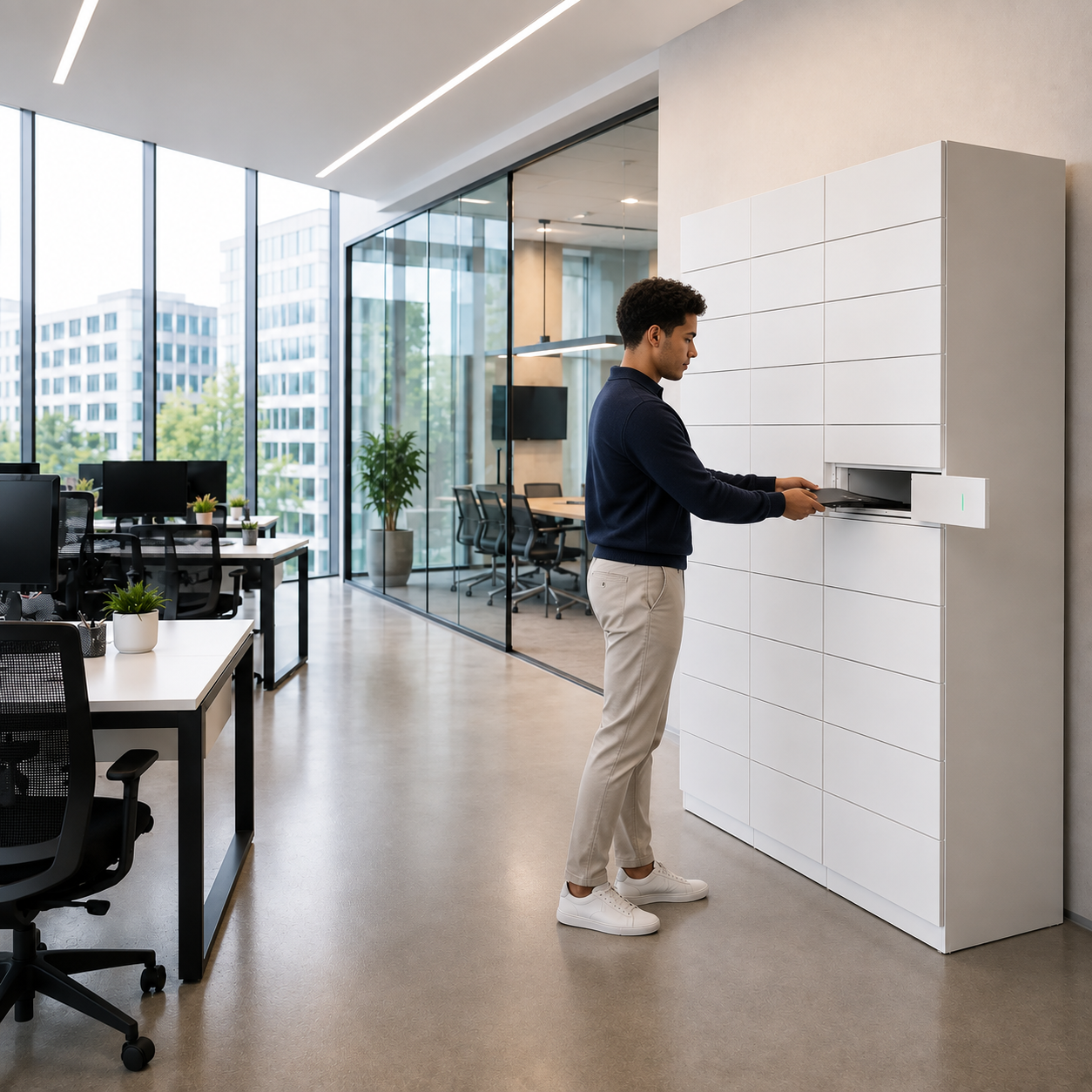
This is where an IT equipment locker can become relevant. It can provide a controlled physical handover point between the IT function and the employee, particularly during deployment, exchange and recovery.
Consider a relatively common service-desk scenario. An employee reports a laptop failure remotely. The service desk diagnoses the problem and determines that the machine needs replacing. A technician prepares another laptop, configures it correctly and updates the relevant systems.
- From an IT perspective, the incident may be close to resolution.
- From the employee's perspective, however, the problem remains unresolved until the replacement laptop is physically in their hands.
That creates an important distinction between IT resolution time and employee recovery time. The first may be determined by technical capability; the second can be extended by something as mundane as arranging the physical handover.
For IT teams trying to improve service levels, both matter.

How can IT teams use laptop lockers?
The strongest use cases tend to occur where organisations have repeated equipment movements, distributed workforces or periods of concentrated demand.
New-starter laptop deployment
Employee onboarding is an obvious example.
In a small organisation, handing a laptop directly to a new employee may create little difficulty. In a large enterprise onboarding dozens or hundreds of people at once, the logistics can become considerably more demanding.
Graduate schemes, apprenticeship programmes, university placement cohorts and large recruitment programmes can all create peaks in equipment demand. IT teams may need to prepare substantial numbers of laptops, peripherals and accessories for collection at approximately the same time.
A smart laptop locker allows preparation and collection to become separate activities.
IT can configure and stage equipment when capacity allows, while employees collect their allocated devices within an agreed window rather than requiring a technician to be available for every individual handover.
The potential benefit is not simply speed. It is a reduction in the coordination required to bring the employee, device and IT technician together at exactly the same moment.
Replacement devices and break/fix
Hardware failure creates a different challenge because urgency is much greater.
When an employee's primary device fails, the cost of the handover can quickly become the cost of employee downtime. IT may diagnose the problem quickly but still need to arrange for a replacement machine to reach the employee.
This becomes particularly difficult in distributed organisations. A company may operate many offices but have IT personnel based at only a small number of them.
A replacement laptop can instead be prepared centrally or by a support team and staged securely at an appropriate location. Once it is ready, the employee can be authorised to collect it.
The failed device can potentially make the reverse journey through the same infrastructure, allowing repair, assessment or disposal to continue without requiring another scheduled face-to-face handover.
Laptop loans
Temporary devices create another asset-control problem.
Employees may need loan equipment while their primary machine is repaired, while travelling, or for a temporary project. Educational institutions and other organisations may also maintain larger pools of shared equipment.
A laptop loan locker can provide a controlled point for issuing and returning those devices. Where the system identifies both the user and transaction, the organisation gains a clearer record of who collected the equipment and when it was subsequently returned.
That does not replace the asset register, but it can improve the quality of the physical chain of custody supporting it.
Device swaps and upgrades
Planned refresh programmes can generate many of the same logistical demands as onboarding.
An organisation replacing hundreds of laptops needs to coordinate two physical movements: the new device going to the employee and the existing device coming back.
Separating the technical preparation from the physical exchange can give IT teams greater flexibility over how that programme is managed.
Leavers and equipment recovery
Issuing an asset is only half of the management challenge. Organisations also need to recover it.
Hybrid working has made this more complex because employees may no longer work permanently alongside an IT team. Leavers may be based at regional offices or visit a corporate location only occasionally.
Providing an authorised return point can make the physical recovery process easier while creating a record that equipment has been deposited. For IT asset management teams, that can help close the gap between an asset being marked for return and physically arriving back under organisational control.
Storage, charging, tracking and handover are different requirements
One reason the laptop-locker category can appear confusing is that several distinct problems are often discussed together.
IT teams can simplify the evaluation by separating four requirements.
- Storage concerns where equipment physically waits. The primary questions are whether the compartment is appropriately sized, sufficiently secure and suitable for the environment in which it will operate.
- Charging adds another requirement. If laptops or other devices need to be powered while stored, the locker needs appropriate electrical provision and the organisation needs to consider the charging requirements of the equipment involved.
- Access control concerns who is permitted to open a particular compartment. Depending on the system, authentication could use an employee credential, mobile interaction or another digital identity method.
- Asset accountability goes further. The requirement is no longer simply to control a door but to create a reliable record of the movement of equipment between the organisation and an identifiable person.
These capabilities are related, but they are not interchangeable.
An organisation primarily looking for laptop charging lockers should not pay for sophisticated asset workflows it will never use. Conversely, an enterprise attempting to improve equipment accountability should not assume that a secure cabinet with electronic locks automatically provides an adequate IT asset-management process.

The important question is not simply whether the laptop is secure while it is inside the locker. IT also needs to think about what happens before and after that moment: who is authorised, what was collected, and whether the transaction is recorded.
What should IT teams look for in a laptop locker system?
The appropriate specification starts with the operational problem. An IT team considering laptop lockers should first establish which processes are creating friction today. That might be new-starter deployment, replacement equipment, loans, leaver returns or a combination of several workflows.
From there, seven areas deserve particular attention.
The use case
The organisation should define what the locker is expected to accomplish. Secure storage, charging, employee collection, equipment lending and asset recovery create different functional requirements.
User authentication
Where equipment is being assigned to individuals, IT needs to understand how the system identifies the person opening the compartment and how permissions are managed.
Asset-level accountability
For more advanced IT asset management use cases, knowing that a door opened may not be enough. The organisation may need to associate the transaction with a specific user, device or service request.
Charging requirements
Charging can be valuable for loan pools and shared equipment, but it adds power and infrastructure considerations. Organisations should determine whether every compartment needs power or whether charging is required only for particular workflows.
Integration
A locker can operate as a standalone system, but organisations with mature IT processes may want activity to connect with ITSM, ITAM or other enterprise platforms.
The relevant question is not simply whether integration is technically possible, but what information needs to move between systems and what workflow that integration is intended to automate.
Exception management
Automated processes need to account for the transactions that do not proceed as expected.
What happens if an employee does not collect the laptop? What happens when equipment is overdue for return? How does IT intervene if somebody cannot access the assigned compartment?
A self-service process should reduce administration rather than simply move it somewhere else.
Location and capacity
Finally, organisations need to consider where the locker should sit and how much capacity is genuinely required.
A system intended for occasional replacement devices at a regional office will have very different utilisation patterns from one supporting a major employee onboarding programme.
This is where analysing current handover volumes before specifying hardware can prevent both over- and under-investment.
When do laptop lockers make operational sense?
Not every organisation needs to automate IT equipment handovers.
If a business has a small workforce working from a single location with an IT technician sitting nearby, handing a laptop directly to an employee may remain the simplest and most efficient process.
The case becomes stronger as the physical logistics become more complex.
Organisations may want to investigate self-service IT lockers when they experience recurring problems such as significant volumes of laptop issues and returns, large new-starter cohorts, multiple offices without permanent IT support, high levels of technician travel or substantial amounts of service-desk time being spent coordinating equipment handovers.
Employee downtime can be another indicator. If replacement laptops are technically ready but employees regularly wait because the physical exchange cannot be coordinated, the organisation may have a logistics bottleneck rather than a technical support problem.
The same applies to asset recovery. Persistent difficulty getting laptops back from leavers or temporary users can indicate that the return process itself needs redesigning.
The strongest business cases therefore tend to emerge from frequency and repetition. Saving several minutes on a handful of annual transactions is unlikely to justify significant process change. Removing repetitive administration from hundreds or thousands of handovers may be a different proposition.
How should IT measure the business case?
The business case for a laptop locker should not be based solely on how many devices it can hold. The more useful question is whether the new workflow improves the process it replaces.
That requires a baseline.
Before changing the handover model, IT teams can measure how long current processes take, how frequently they occur and where delays or exceptions arise.
Useful measures include:
| Measure | What it can reveal |
| Employee wait time for equipment | The service impact of the existing handover |
| IT time per transaction | Administrative effort associated with issue and return |
| Time-to-recovery after device failure | How quickly employees become productive again |
| Technician travel | Cost of supporting distributed locations |
| Uncollected equipment | Effectiveness of deployment workflows |
| Asset return completion time | Efficiency of equipment recovery |
| Missing or overdue devices | Quality of asset accountability |
| Self-service transaction rate | How much routine handover has moved away from IT |
| Employee satisfaction | Whether the new process improves the user experience |
These measures also help prevent technology from becoming the objective in itself.
The goal is not to maximise locker utilisation. If the underlying problem is employee downtime, the relevant measure is whether downtime falls. If the problem is technician travel, measure travel. If IT wants to improve asset recovery, measure how quickly and reliably devices return.

The strongest business case starts with the process that exists today. Measure the waiting, travel, administration and exceptions first. That gives IT something meaningful to compare against rather than assuming that automation automatically creates a saving.
Laptop lockers are part of IT asset management, not a replacement for it
As IT asset management (ITAM) becomes more digital, the physical movement of equipment can stand out as one of the remaining manual parts of the lifecycle.
An ITAM platform may know that a laptop is assigned to a particular employee. Endpoint-management technology may know its configuration and security status. An ITSM system may record why the device needs to be replaced and the work required to resolve the incident.
None of those systems physically puts the replacement laptop into the employee's hands.
Laptop lockers can help bridge that gap by providing secure infrastructure for storing, issuing, exchanging and recovering equipment. More sophisticated smart locker systems can add authentication, transaction records and integration, allowing the physical handover to become part of a wider digital workflow.
The appropriate solution depends on what the organisation is trying to achieve. For some, a secure laptop charging locker may be sufficient. Others may need controlled laptop loans, employee self-service or stronger asset accountability across a distributed workforce.
The starting point should therefore remain the workflow rather than the locker.
Identify where equipment movement creates delay, administration or uncertainty. Understand the scale of the problem. Decide which parts genuinely benefit from automation. Then determine what combination of storage, charging, access control, tracking and integration is required.
That approach turns the conversation from “Do we need laptop lockers?” into the much more useful question: “How should we manage the physical movement of IT equipment?”
Frequently asked questions about laptop lockers
What is a laptop locker?
A laptop locker is a secure compartment designed to store laptops and other IT equipment. Depending on the system, it may also provide charging, digital access control, user authentication, transaction records and automated collection or return workflows.
What is the difference between a laptop locker and an IT asset locker?
A laptop locker may simply provide secure storage or charging. An IT asset locker typically supports a wider equipment-management workflow, allowing organisations to control and record the collection, exchange or return of laptops and other workplace devices.
Can laptop lockers charge devices?
Yes, some laptop lockers include power inside individual compartments so devices can charge while stored. Charging is particularly useful for shared-device and loan pools, although it is not required for every IT asset management or equipment handover use case.
Can laptop lockers track who has collected a device?
Smart laptop lockers can authenticate users and record who accessed a compartment and when. More advanced workflows can associate the transaction with a specific device or asset, helping IT teams maintain accountability when equipment is issued or returned.
Can laptop lockers be used for employee onboarding?
Yes. IT teams can prepare laptops in advance and place them in secure lockers for authorised new starters to collect. This can be particularly useful when organisations need to distribute equipment to large onboarding, graduate, apprentice or placement cohorts.
Can employees return laptops through a smart locker?
Yes. Smart lockers can support equipment returns as well as collections. They can be used for faulty-device returns, laptop swaps, loan equipment and leaver recovery, providing IT with a controlled handover point without requiring a face-to-face appointment.
Explore IT asset lockers
If your organisation is looking specifically at how employees can securely collect, exchange and return laptops and other workplace technology, eLocker's guide to IT asset lockers explains how automated handovers can fit into the wider IT equipment management workflow.