



As IT service delivery becomes increasingly digital and distributed, the physical movement of laptops and other equipment can remain surprisingly dependent on manual coordination. This article explores how organisations can reduce friction across device deployment, urgent replacement and return, while maintaining security and accountability.
Modern IT service management is increasingly built around automation. Employees raise support requests through digital service desks, devices can be configured and managed remotely, identities and permissions are centrally controlled, and asset-management platforms provide increasingly sophisticated visibility over technology estates. Many technical problems can now be diagnosed and resolved without an IT specialist ever being in the same location as the employee.
There is, however, one unavoidable physical element in the process. Laptops, mobile devices and peripherals still have to move between the organisation and the people who use them. A new employee needs to receive their equipment, somebody whose laptop has failed may need a replacement, and devices eventually need to be recovered when employees, contractors or placement students leave.
These transactions can appear relatively insignificant compared with the technical work surrounding them, yet they frequently introduce an entirely different form of friction. The device may be configured and ready, but somebody still needs to coordinate the handover. The employee and IT team need to be available at the same time, often in the same place, and the organisation needs to verify that the right equipment has reached the right person and maintain an accurate chain of custody.
As organisations become more distributed and IT teams are expected to support more users across more locations, that physical handover deserves greater attention. The question is no longer simply how efficiently IT can prepare and manage devices, but how efficiently those devices can move through their entire operational lifecycle.
IT has digitised the service. The equipment remains physical
In a relatively simple workplace, equipment deployment can be straightforward. A laptop is prepared, the employee visits the IT department and somebody hands it over. The exchange may take only a few minutes, which makes the process itself seem inconsequential.
The complexity becomes more apparent at scale. Employees may work across multiple offices, IT support may be centralised in one location, hybrid workers may only visit the workplace on particular days, and smaller sites may have no permanent technical presence at all. Large employers can also experience concentrated demand when cohorts of graduates, apprentices, contractors or university placement students join at the same time.
The technical workflow may already be highly efficient. IT can prepare the laptop, install the required applications, apply security policies, associate it with the employee and update the asset-management system well before the start date. Yet the final stage still depends on getting a physical object into somebody's hands.
That is where an apparently simple process can become a logistical one. Collection times have to be communicated, appointments may need arranging, equipment needs somewhere secure to wait, recipients need identifying and custody records must be updated. When an employee misses an appointment or changes location, somebody may have to coordinate the process again.
None of these activities requires sophisticated technical expertise, but collectively they consume IT capacity. The more equipment the organisation moves, and the more distributed its workforce becomes, the harder it is to ignore the inefficiency created by synchronising people simply so that a physical exchange can take place.
High-volume deployment exposes the capacity constraint
The problem is particularly visible when large groups of people require equipment at the same time. A university placement programme provides a useful example. An organisation might have dozens or even hundreds of students beginning placements on the same day, all of whom need appropriately configured equipment before they can become productive.
IT can prepare for that event well in advance. Laptops can be built, secured and allocated, but if every student subsequently needs to visit the same IT desk to collect their device, the final stage of an otherwise efficient deployment becomes sequential. Each person needs to be identified, the correct device located, the handover completed and any associated records updated before the next transaction can take place.
The operational issue is therefore not necessarily the ability to provision a large number of devices. It is the capacity of the physical distribution process.
Smart lockers provide one way of separating those two activities. Once IT has prepared and allocated the equipment, devices can be placed into secure compartments and made available to the appropriate recipients. Employees can then authenticate and collect their assigned equipment without requiring an IT specialist to facilitate every routine exchange personally.
The distinction is important because automation is not replacing the skilled work. IT remains responsible for configuring the device, applying security controls, assigning the asset and ensuring that it is fit for use. What changes is the need for an IT professional and the recipient to synchronise their diaries for the final few metres of the deployment journey.
For organisations with regular high-volume intakes, that can make the physical process significantly more scalable. Instead of increasing the number of people administering handovers as deployment volumes grow, IT can concentrate its resources on preparation, technical support and the exceptions that genuinely require intervention.
Measuring deployment by time-to-productivity
This also raises an important question about how successful IT equipment deployment should be measured. Recording that a device has been prepared or allocated says relatively little about the employee experience if the person cannot actually access it.
A new employee who arrives on their first morning and spends several hours waiting for a laptop is not productive, regardless of how efficiently the device was configured beforehand. Their manager is also dealing with an avoidable operational problem, while the employee's first experience of the organisation's internal systems is one of delay.
For that reason, time-to-productivity can be a more useful way to think about equipment deployment. The relevant period extends from the point at which the employee needs the equipment to the point at which they can actually begin productive work.
Reducing handover friction can shorten that period without necessarily changing anything about the technical provisioning process. A pre-configured device can be staged in advance, the employee can receive clear collection instructions and the physical exchange can happen without waiting for a particular member of the IT team to become available.
This is particularly valuable when start times, locations and working patterns vary. The organisation does not have to predict the exact moment at which every individual will arrive; it needs to ensure that authorised equipment is securely available when they do.
Device failure creates a different but more urgent handover problem
The same physical constraint becomes more commercially significant when a device fails during employment. In that situation, every hour of delay can represent an hour in which an employee is unable to perform some or all of their role.
IT may diagnose the problem quickly and decide that replacement is the most efficient course of action. A suitable laptop can be configured and technically ready within a short period, yet the employee may still be waiting because the replacement has to travel the final stage between IT and the user.
That creates an important distinction between technical resolution time and employee recovery time.
A service desk may regard the technical problem as resolved once a replacement has been prepared, but the business outcome has not been restored until the employee has the equipment and can work again. Where IT and the employee are in different locations, that gap can involve engineer travel, courier arrangements, collection appointments or waiting until somebody is physically available to complete the exchange.
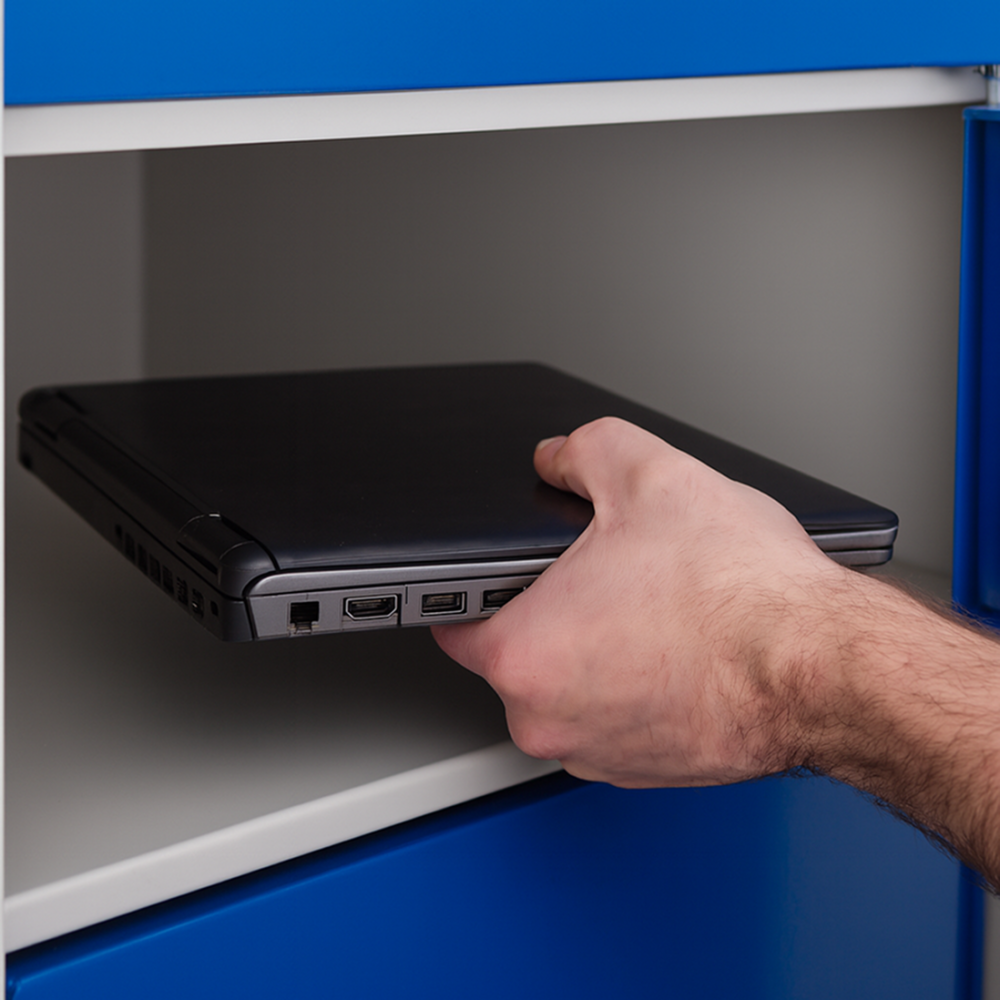
A controlled locker handover can shorten that final stage by allowing IT to prepare and securely stage replacement equipment independently of the employee's collection time. Once the device is ready, the user can be notified and authorised to collect it from an appropriate location.
This does not make the technical repair process faster, nor should it be presented as doing so. Its value is in preventing the physical handover from unnecessarily extending the employee's downtime after IT has already completed its work.
For organisations evaluating their support model, time-to-recovery may therefore provide a more meaningful measure than ticket-resolution time alone. It focuses attention on the business outcome — restoring the employee's ability to work — rather than simply the completion of an IT task.
Distributed workplaces have turned handover into an IT logistics problem
The growth of hybrid and multi-site working makes this distinction increasingly important. Organisations may have employees distributed across regional offices while technical expertise remains concentrated at headquarters or a small number of support hubs. Smaller sites still require access to replacement equipment, loan devices and onboarding hardware, but maintaining permanent IT staffing at every location is unlikely to be practical.
The traditional response is often to move either the employee or the technician. An employee may travel to a larger office to collect equipment, an IT specialist may visit another site to complete the handover, or the organisation may use couriers and local reception teams as intermediaries. Each option can work, but each introduces additional coordination and, in some cases, delay.
A smart locker can instead provide a secure local handover point within a centrally managed IT service. Prepared equipment can be made available closer to the employee without requiring an IT specialist to remain at that location simply to facilitate collection.
The operational significance lies in making the exchange asynchronous. IT completes its part of the workflow when the device is ready; the employee completes their part when they are able to collect it. The two activities no longer have to happen at exactly the same time.
Where the building and locker location are accessible, this can also extend the equipment collection window beyond the hours during which an IT desk is staffed. It would be misleading to describe this as providing 24/7 IT support, because technical support availability is a separate question, but it can provide significantly greater flexibility around physical equipment access without requiring an equivalent extension of IT staffing hours.
Deployment is only one direction of travel
Equipment eventually has to move back in the opposite direction, and returns can create just as much friction as deployment.
The use cases vary. A faulty laptop may need returning after a replacement has been issued. A loan device needs to re-enter the available asset pool. Contractors and employees leaving the organisation need to return equipment, while a large placement-student programme can create a concentrated recovery challenge at the end of the placement just as it created a deployment challenge at the beginning.
Return processes are often more fragmented than initial issue. Equipment may be handed to a manager, left with reception, returned directly to IT or sent through a courier. Those approaches can be perfectly workable, but the more routes that exist, the harder it becomes to maintain a consistent record of when physical custody actually changed.
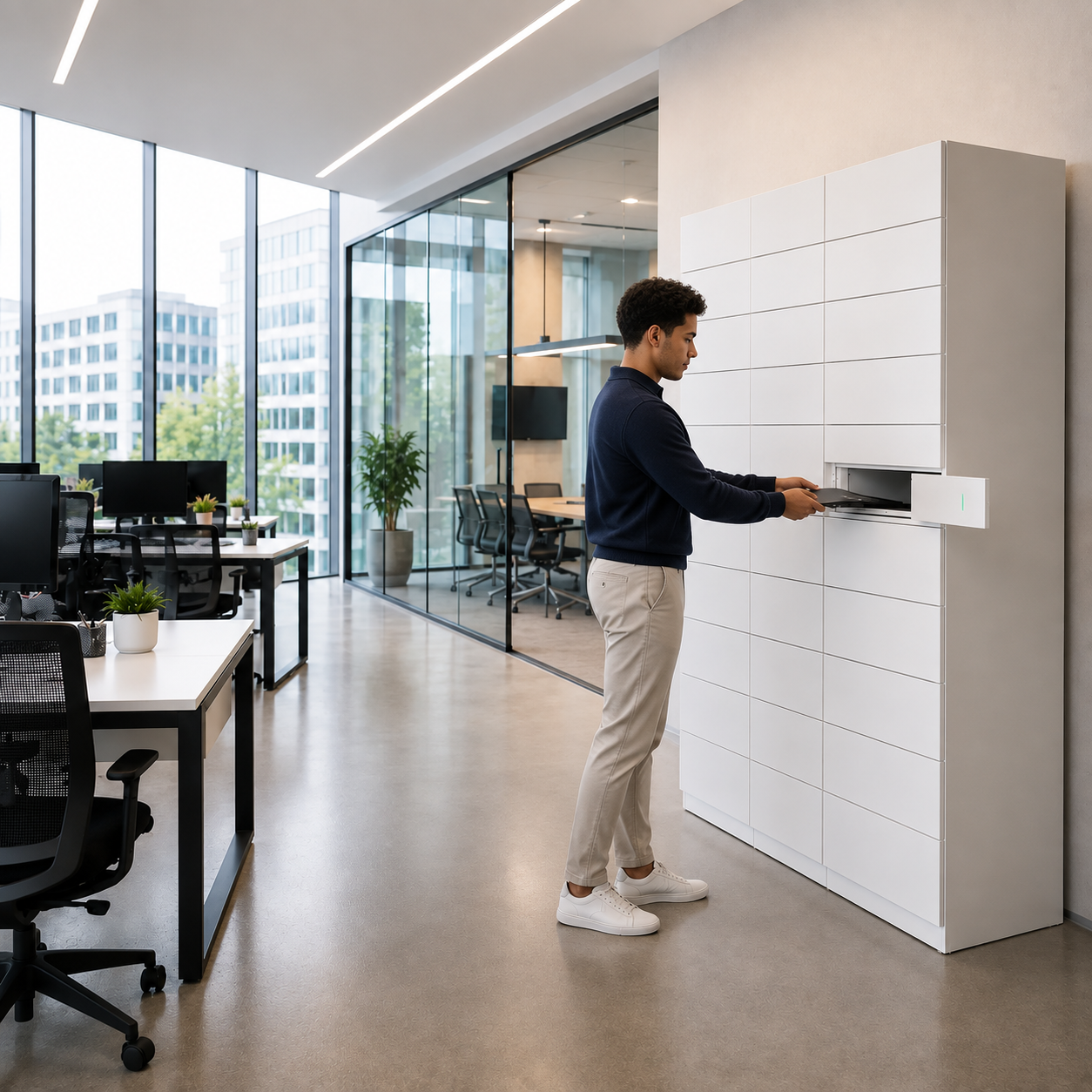
This is where the same smart locker infrastructure used for deployment can support asset recovery. An employee can be given an authorised return workflow, deposit the equipment into a secure compartment and create a digital record of the transaction. IT can subsequently retrieve and process the equipment without needing to arrange a face-to-face return appointment.
For organisations with predictable cohorts of temporary employees, graduates or placement students, the lifecycle becomes particularly clear. The same infrastructure that helps distribute a large volume of equipment at the beginning of a programme can help recover those assets when the programme finishes.
This creates a more coherent model of deployment, replacement and return, rather than treating each as a separate logistical problem.
Why chain of custody matters when the handover becomes self-service
Removing the requirement for IT to attend every exchange should not mean weakening accountability. If anything, a well-designed self-service workflow should make the physical movement of equipment easier to trace.
An informal return illustrates the problem. An employee may tell IT that they left their laptop with reception. Reception may subsequently pass it to somebody else, and the asset may eventually arrive with the technical team. During that period, the asset-management platform may continue to show the laptop assigned to the employee even though physical custody has changed.
A controlled return creates a clearer event. The organisation can record who accessed the locker, when the transaction occurred and which workflow the transaction relates to. Depending on how the wider system is configured, that information can then support subsequent asset-management processes.
The objective should be chain-of-custody closure: establishing a reliable point at which the organisation knows that an asset has moved from the employee back into controlled custody.
The same principle applies to deployment. Self-service should not mean that anybody can open a compartment and take whatever equipment is available. Users need to be authenticated and access limited to the equipment they are authorised to collect. Existing employee credentials, PINs or mobile authentication can provide different approaches depending on the organisation's security model.
This is why the value of a smart locker in IT service delivery is not simply that the door locks. The more important capability is the controlled workflow surrounding the physical exchange.
Removing repetitive coordination from skilled IT teams
When organisations assess the economics of equipment deployment, it is tempting to look for one large and easily quantifiable saving. In reality, much of the value is likely to come from removing relatively small but frequently repeated administrative tasks.
Arranging a laptop collection may only take a few minutes. Travelling to another floor or building for a device exchange may not appear significant in isolation. Waiting for an employee who misses an appointment, answering questions about where equipment can be collected, organising a replacement handover or reconciling an informal return can each seem too small to warrant redesigning the process.
Across a large technology estate, however, those interactions accumulate. More importantly, they consume the time of people whose technical expertise could be used elsewhere.
The relevant question is therefore not whether every human interaction should be removed from IT service delivery. Many interactions are valuable, particularly where users need support, a fault requires diagnosis or an exception needs judgement. The opportunity is to distinguish those activities from routine physical exchanges that do not require technical expertise.
A useful way of looking at the potential impact is across the equipment lifecycle:
| IT equipment moment | Source of handover friction | What a controlled self-service model can change |
| High-volume deployment | Queues, appointments and sequential handovers | Equipment can be prepared in advance and collected independently |
| Routine onboarding | IT and employee availability must coincide | Collection can take place within a wider access window |
| Urgent replacement | Replacement is ready but employee is still waiting | Physical collection can be separated from technical preparation |
| Multi-site support | Technician or employee travel | Equipment can be staged at a local controlled handover point |
| Loan or swap | Repeated issue and return administration | A consistent workflow can support both directions |
| Leaver/placement return | Informal or delayed asset recovery | Equipment can be returned through a recorded process |
The common theme is not the locker itself. It is the removal of unnecessary dependency on another person being available at the moment an otherwise routine handover takes place.
Measuring whether the process has actually improved
As with any automation project, the strongest business case should start with the existing workflow rather than a generic claim about how much time a smart locker might save.
For organisations managing large onboarding cohorts, time-to-productivity can show whether employees are receiving equipment quickly enough to begin work. The analysis might also consider the amount of IT time required to coordinate each deployment, the number of missed collection appointments and the proportion of handovers that require direct IT attendance.
For device failures, time-to-recovery can expose the difference between technical resolution and the restoration of employee productivity. If replacement devices are routinely prepared quickly but employees remain unable to work while the physical exchange is coordinated, the organisation has identified a logistical bottleneck rather than a technical one.
Returns require a different set of measures. Organisations can examine how long it takes to recover equipment after an employee leaves, the proportion of assets returned on time, how many returns require chasing and whether the chain of custody is consistently recorded.
Taken together, these measures allow IT leaders to evaluate the entire physical equipment workflow rather than simply counting the number of transactions processed through a locker. The technology should be judged by whether it improves service availability, reduces low-value coordination and gives the organisation better control over its assets.
The real opportunity is to separate IT expertise from IT logistics
There is a danger in describing every manual process as inefficient simply because it involves a person. That is not the argument for changing IT equipment deployment. Human expertise remains central to effective IT support, particularly where users need guidance, security decisions need to be made or technical problems require diagnosis.
The more useful distinction is between work that requires IT expertise and work that merely requires somebody from IT to be physically present.
Preparing and securing a laptop requires technical capability. Diagnosing a failed device requires technical capability. Deciding what access an employee should have requires technical capability. Standing at a desk so that a prepared laptop can move from one pair of hands to another generally does not.
Smart lockers provide one mechanism for separating those activities. By creating a secure, authenticated and recorded handover point, they allow the physical exchange to take place independently while IT retains control of the wider workflow.
That is particularly relevant as organisations ask relatively small IT teams to support increasingly distributed workforces. The objective is not to remove IT from the employee experience, but to ensure that technical resources are available where their expertise creates the greatest value.
Conclusion: The remaining IT bottleneck may be physical
The modern workplace has made considerable progress in removing friction from digital IT service delivery. Employees can request support remotely, identities can be provisioned automatically, software can be deployed centrally and many technical issues can be resolved without physical intervention.
The laptop itself, however, still has to move.
Whether the requirement is to distribute 100 devices to a new cohort, get a replacement laptop to an employee whose equipment has failed, or recover assets when a placement programme ends, the final physical exchange can determine how efficient the overall process feels.
For IT leaders, that makes equipment deployment worth examining as an end-to-end workflow rather than as the final administrative step after the technical work has been completed. The questions are practical: how much coordination is required, how long employees wait, how much skilled IT time is consumed by routine handovers, and how reliably the organisation maintains accountability when equipment moves in either direction.
Smart lockers will not remove every reason for IT and employees to interact, nor should they. What they can do is provide a controlled point at which routine physical exchanges no longer depend on both parties being available in the same place at the same time.
As IT service delivery becomes more automated and more distributed, that may be where some of the most avoidable friction remains.