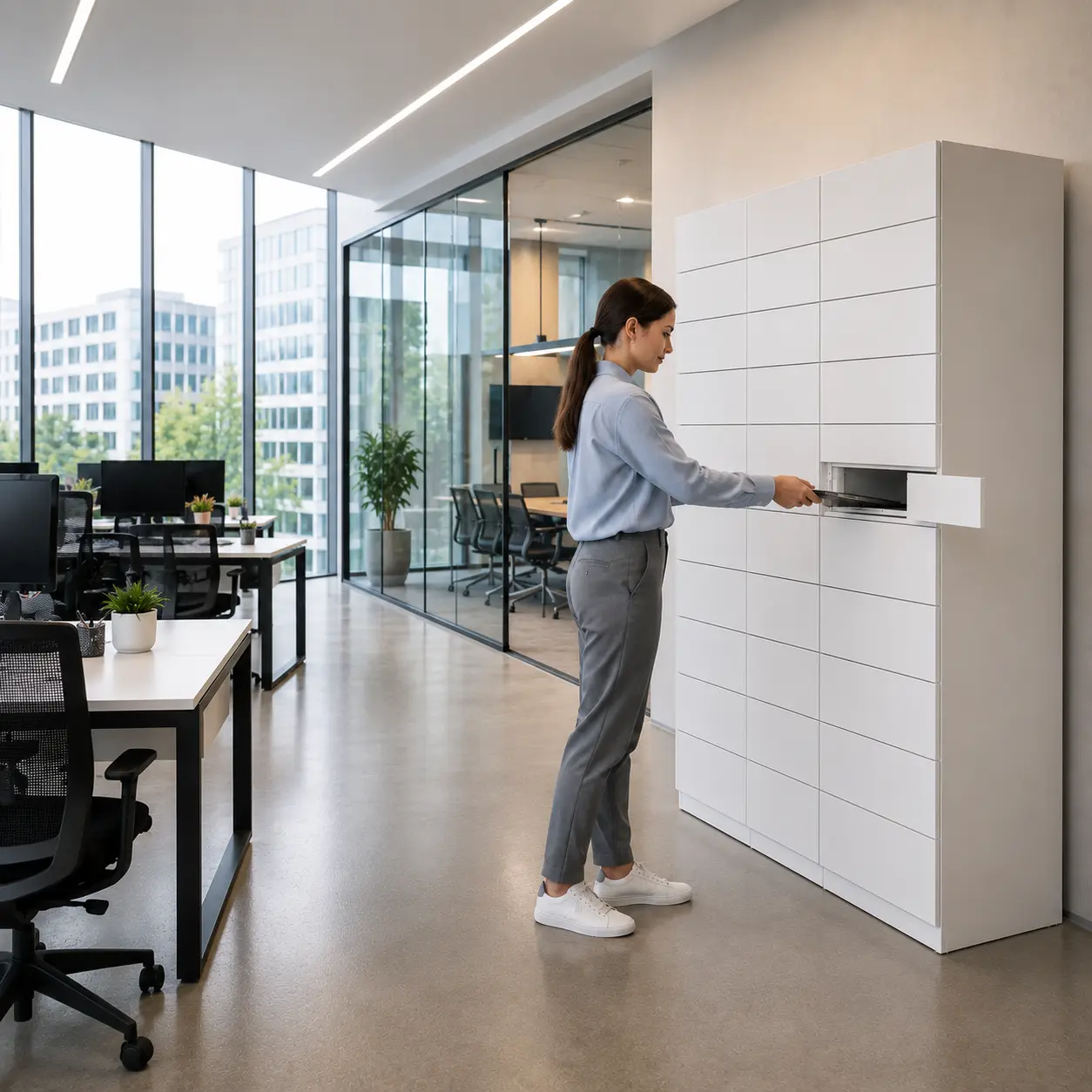
A Techbar bank serving an office floor, managed from anywhere
The same approach across retail, warehouse and corporate IT: we measure, model and prove the economics on one of your sites before any rollout.
See how we do it
See every workflow side by side and find the right fit.
Compare solutionsEnterprise-grade security and the integrations to slot eLocker into the systems you already run.
Security & integrations“What is a smart locker?” — a plain-English primer on how automated collections and returns actually work.
Read the guideTechbar turns laptop swaps, replacements and loans into self-service collection. Employees pick up what they need from a secure locker; IT manages the whole process remotely, with every movement tracked.





When an employee needs a replacement laptop, charger or loan device, the physical handover usually creates the delay. IT needs to be available, the employee needs to be in the right place, and returns get chased manually. In hybrid, multi-site organisations that friction becomes a service problem.
Staff lose working time waiting for replacement devices, peripherals or loan equipment.
Service teams spend hours coordinating routine handovers instead of higher-value work.
Central IT must support users across offices, regions and hybrid working patterns.
Swaps, loans, returns and end-of-life collections create tracking and audit gaps.
Equipment needs do not keep desk hours. Hybrid teams need swaps, loans and returns to work around the clock, on every site.
Techbar replaces manual IT handovers with automated, traceable collection and return workflows.
Secure lockers, employee notifications, access control, remote management, audit trails and reporting. Employees collect, return, borrow or swap equipment without waiting for IT to be available.
Employees collect assigned equipment from secure lockers the moment it is ready.
Equipment available outside service desk hours and in offices with no IT presence.
Manage collections, returns, loans and swaps for every site from one dashboard.
No more expensive kit left on desks, at reception or in unsecured areas.
One needs two people in the same place at the same time. One does not.
The handover stops being a meeting. IT loads lockers on their schedule, employees collect on theirs, and the audit trail writes itself.
Replacement devices, peripherals and loan kit are ready to collect the moment IT loads them.
Routine handovers disappear from the service queue, freeing engineers for real incidents.
One central team supports offices with no IT presence at all, across regions and time zones.
Who collected what, when it came back and where it is now, answered without a spreadsheet.
Faster resolution on device tickets shows up directly in your SLA and satisfaction numbers.
Automated reminders and a locker that is always there beat chasing devices by email.
From the ready-to-collect message to the swap being logged, the whole journey runs on the employee’s phone.
Techbar is not just a pickup point. The same locker bank runs every direction IT equipment moves, with each movement logged to a named employee.
New starter kits, replacement devices, peripherals and loan equipment, loaded by IT and collected by the employee when it suits them. No meeting, no desk visit.
Device swaps in a single visit: collect the new laptop and return the old one to the same compartment. Both movements logged, ticket closed automatically.
Leaver devices, loan kit and faulty equipment go back through the locker, with automated reminders. No more chasing returns by email, or writing off kit that never came back.
Working with Motorola, eLocker upgraded the force's Techbar from a wireless system to a fully wired Techbar Enterprise setup, so frontline officers can collect radios and batteries around the clock, even through large-scale events like the Coronation.
Laptops, phones, chargers, headsets, peripherals and loan devices. Compartment sizes and power options match your kit list.
Badge, SSO or a personalised one-time link. It matches the access patterns your organisation already uses.
Yes. Techbar can connect to tools like ServiceNow and Jira so collections and returns update tickets and asset records automatically.
That is exactly the point. IT loads and manages lockers remotely, and employees self-serve around the clock.
Yes. Most teams start with a single Techbar bank, measure ticket times and engineer hours, then expand on the evidence.
Every routine handover is engineer time and employee downtime. Start with one office. Prove the change. Then scale.

“Happy to walk through how device handovers work for your teams today and where the engineer time goes. Send a few details and I’ll come back with the information we need to build your solution.”