
A practical guide to how smart lockers work, from user authentication and locker access to automated collections, returns, transaction records and system integrations.
Smart lockers can appear deceptively simple.
A user arrives, authenticates, a door opens and an item is collected or returned. From the outside, the process may take only a few seconds.
Behind that interaction, however, several things are happening at once. The system needs to know who the user is, what they are allowed to access, which compartment should open, what transaction is taking place and what should happen once it is complete.
That combination of physical access, software, identity and workflow automation is what makes a smart locker different from a conventional locker with an electronic lock.
To understand how smart lockers work, it helps to look beyond the cabinet and follow the journey of a typical transaction from beginning to end.
A smart locker is part of a wider workflow
A smart locker does not normally operate in isolation.
Something has to trigger the transaction in the first place.
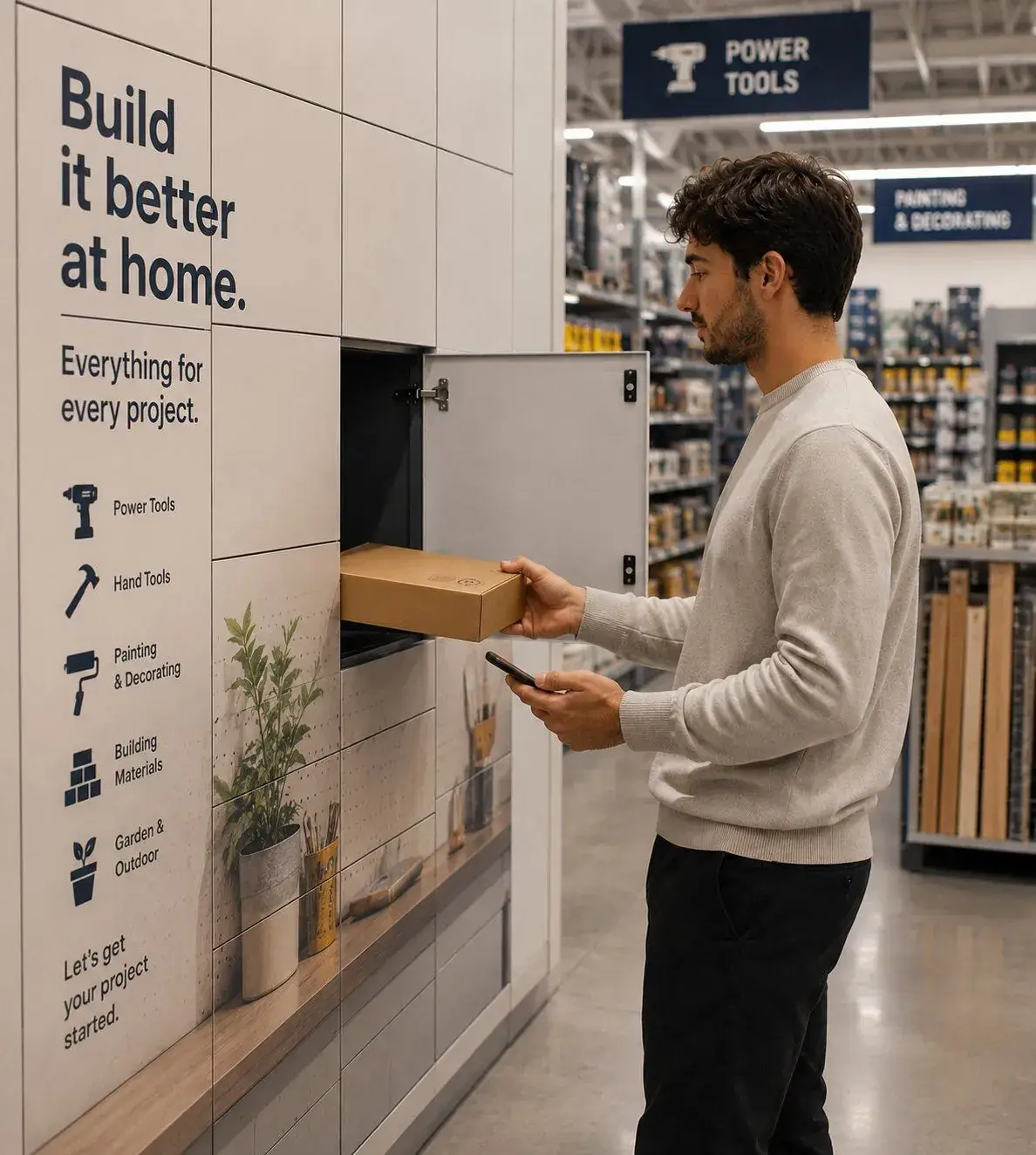
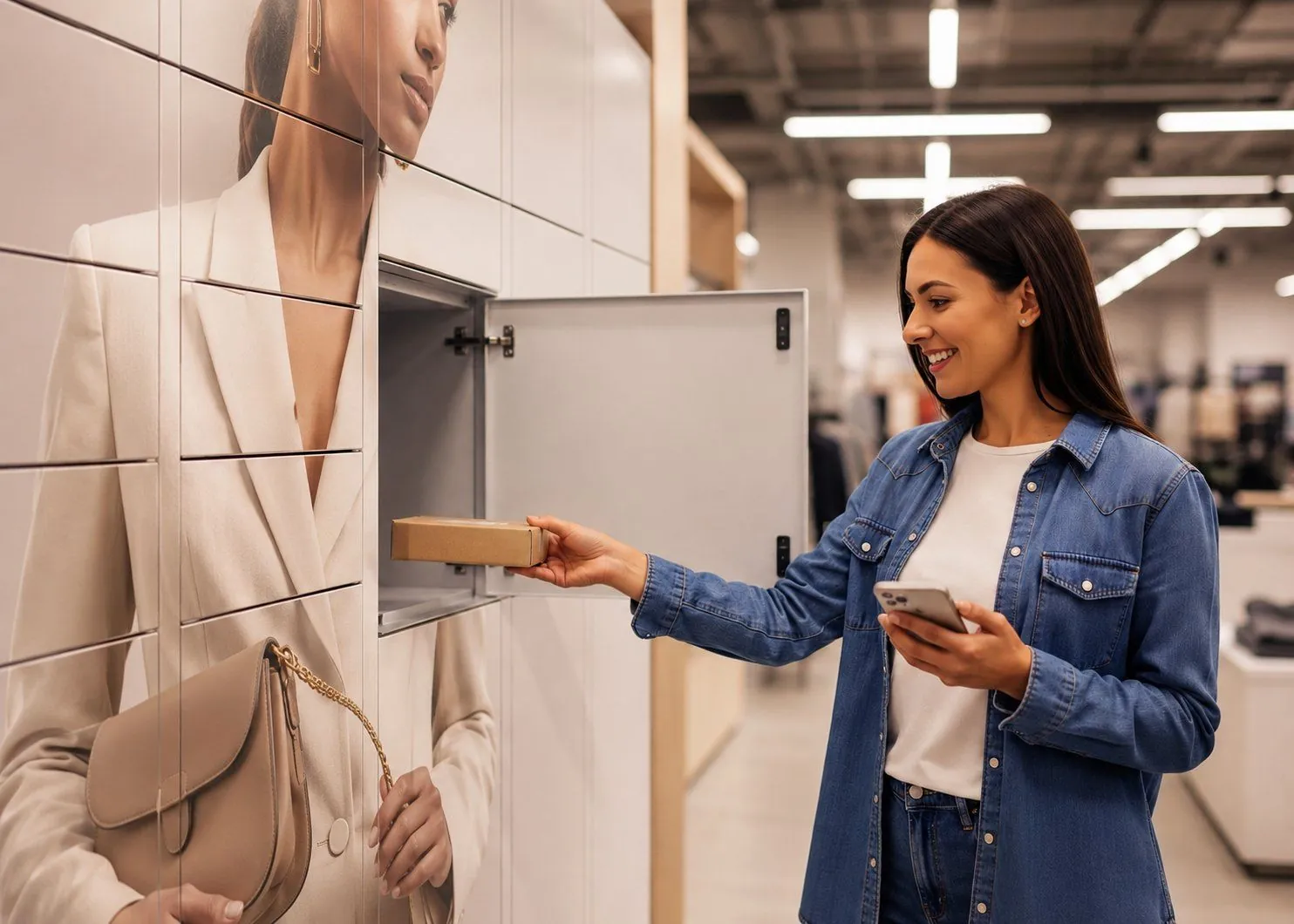
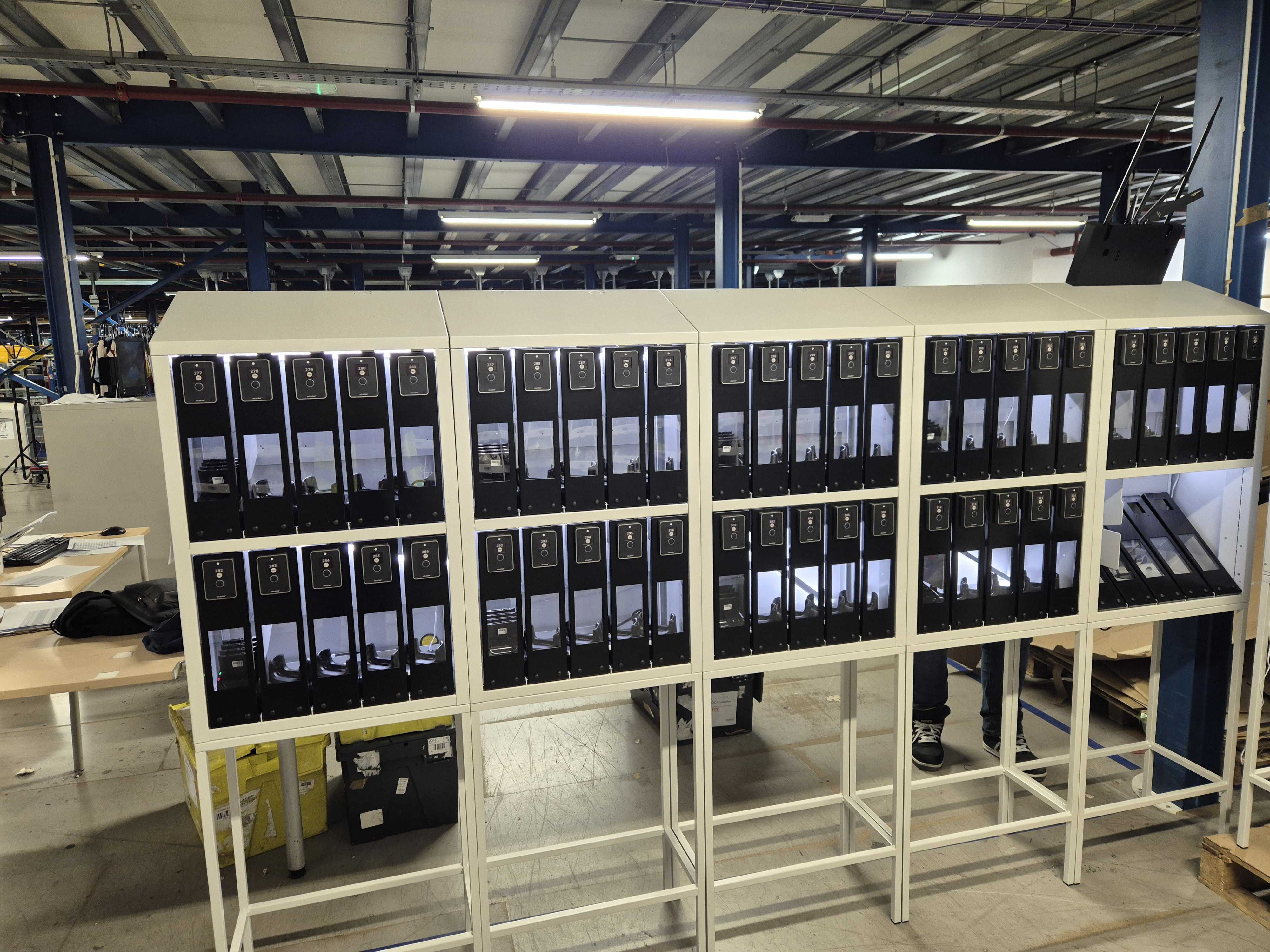
In retail, that could be an ecommerce order becoming ready for collection. In a warehouse, it might be the start of a shift and the allocation of a handheld scanner. In workplace IT, it could be a service request that results in an employee being issued a replacement laptop.
The smart locker system then manages the physical handover.
Although the exact journey differs by application, the underlying process usually follows a similar pattern:
Transaction created → user identified → locker assigned → user notified → access authenticated → item collected or returned → transaction recorded
The real intelligence sits in how those stages are connected.
How the smart locker workflow begins
The first step is not the locker door opening. It is the creation of a valid transaction.
The system needs to know that something is ready to be collected, returned, issued or exchanged.
That transaction might be created manually inside the locker management platform or triggered by another system. For example, an ecommerce platform might mark an order ready for collection, an IT service desk might allocate a replacement device, or a warehouse process might assign a particular asset to an operative.
At that point, the smart locker platform has two key pieces of information:
- what needs to happen
- who should be allowed to complete it
That is the foundation of the workflow.
Identifying the right user
The next challenge is identity.
The system needs a reliable way of determining who the user is and what they are permitted to access.
Different environments use different authentication methods. A warehouse operative may already carry an RFID badge. An employee may use an existing company credential. A retail customer might receive a secure web link connected to their order.
Common authentication methods include:
- RFID cards or employee badges
- secure web links
- PINs
- QR codes
- mobile authentication
- other approved digital credentials
The important point is not the technology itself. It is the relationship between identity and permission.
A smart locker does not simply recognise a user. It checks whether that user is entitled to complete a particular transaction.
One person might be authorised to collect a specific laptop. Another might only be allowed to access a warehouse scanner allocated to their shift. A retail customer should only be able to open the compartment containing their own order.
The software controls that logic before any door is released.
How the system knows which locker to use
Once the transaction and user are known, the platform needs to associate them with the correct locker compartment.
In some applications, a member of staff chooses the compartment when placing the item inside. In others, the software can assist with allocation based on predefined rules.
Those rules may take account of:
- item size
- available compartments
- locker location
- user permissions
- charging requirements
- accessibility needs
- workflow type
This is an important distinction between the hardware and the platform.
The locker provides the physical storage point. The software determines how that space is used.
The same bank of lockers can therefore support very different workflows because the intelligence sits in the rules controlling access and allocation rather than in the metal cabinet itself.
How users are notified
Once an item is ready, the user needs to know that the transaction can take place.
Notifications may be generated by the smart locker platform itself or through another connected system. Depending on the application, this could include an SMS, email, secure browser journey or internal employee notification.
For customer-facing applications, the notification can do more than simply say that an order is ready. It can also guide the customer through the collection journey, authenticate them and direct them to the appropriate locker location.
In workplace or warehouse environments, notifications may be less visible because access can be built into an existing operational process.
Either way, the objective is the same: remove uncertainty and give the user a clear route to the item they need.
What happens when the user reaches the locker?
This is the part of the journey the user sees.
They authenticate using the approved method, the system checks the transaction, and the correct electronic lock is released.
Only the relevant compartment opens.
The user can then collect, return, deposit or exchange the item.
From the user’s perspective, this should feel almost frictionless. Most of the complexity has already been handled in the background.
The system has confirmed identity, checked permissions, matched the user to the correct transaction and identified which door should be opened before the physical handover takes place.
What happens after the locker door closes?
This is where a smart locker becomes much more than a secure cabinet.
Once the transaction is complete, the system records what happened.
Depending on the application, that record might include:
| Data recorded | Typical example |
| User | Employee, operative or customer |
| Location | Store, warehouse or office |
| Locker | Bank and compartment used |
| Time | Date and time of access |
| Transaction | Collection, return, issue or exchange |
| Item | Order, device or asset reference |
| Status | Collected, returned, outstanding or exception |
That record creates an audit trail.
If an item later goes missing, a device is not returned or an order remains uncollected, the organisation has a transaction history to work from rather than relying on memory, spreadsheets or informal processes.
For many organisations, that visibility is one of the most valuable parts of the system.
How smart lockers handle exceptions
Real-world operations rarely follow the perfect journey every time.
A customer may not collect an order. An employee may forget to return a device. A locker door may not close correctly. A user may attempt to access the wrong compartment.
Smart locker software can help surface these exceptions.
Rather than requiring someone to monitor every transaction manually, the platform can identify events that fall outside the expected workflow.
That might include:
- overdue equipment
- uncollected orders
- failed authentication
- prolonged locker occupancy
- unreturned assets
- door or lock faults
The system can then notify the appropriate person or trigger a defined operational response.
This changes the role of the team managing the process.
Instead of supervising every successful transaction, they can focus on the relatively small number of exceptions that require human intervention.
That is one of the ways smart lockers can reduce administrative workload without removing human oversight where it is genuinely needed.
How smart lockers connect with other systems
A smart locker can operate as a relatively self-contained system, but its value often increases when the locker workflow is connected to the wider operation.
For example, locker activity can potentially connect with:
- ecommerce platforms
- asset management systems
- IT service management tools
- HR platforms
- reporting systems
- warehouse processes
- other enterprise applications
An employee collecting a replacement laptop might automatically update an asset record. A customer collection could update the fulfilment status of an ecommerce order. A warehouse device return could make the asset available for the next shift.
The locker transaction therefore becomes another event inside a wider digital process.
That said, deeper integration is not always necessary from day one.
For many organisations, a sensible approach is to automate a defined handover process first, measure the result and then decide where further integration would create additional value.
What technology makes a smart locker system work?
The user experience may be simple, but several technology layers have to work together reliably.
- Electronic smart locks: Each compartment is fitted with an electronically controlled lock that releases only when the system authorises access.
- Authentication: The system needs a method of identifying the user and checking their permission to complete the transaction.
- Management software: The software controls users, locker allocation, permissions, transaction records and reporting. This is where most of the operational intelligence sits.
- Connectivity: The locker system needs to communicate with the management platform so that permissions and transactions can be managed centrally.
- Integrations: Where required, APIs and other integrations allow smart locker activity to become part of wider business workflows.
The relative importance of each layer varies depending on the application, but the software and workflow logic are what differentiate a smart locker system from a standalone electronic cabinet.
How do screenless smart lockers work?
A common assumption is that a smart locker needs a touchscreen or kiosk attached to it.
It does not.
In a screenless system, the user interface sits somewhere else.
A retail customer might use a secure browser journey on their own phone. A warehouse employee might authenticate with the same RFID badge they already use at work. An office employee might receive a secure collection link.
Once the user has been authenticated, the platform sends the instruction to release the correct locker door.
Removing the central screen can be useful in high-volume environments because it avoids creating a single point through which every transaction has to pass.
The locker becomes the physical handover point, while the user’s own device or credential becomes the interface.
How do collection and return workflows differ?
The same smart locker infrastructure can usually support transactions moving in both directions.
A collection workflow begins with the organisation making an item available. The user is notified, authenticates and removes it.
A return workflow starts with the user being authorised to deposit something. The system makes the appropriate compartment available and records the item as returned.
The basic distinction is simple:
| Collection workflow | Return workflow |
| Item placed into locker | Return authorised |
| User notified | User authenticates |
| User authenticates | Compartment assigned |
| Correct door opens | Item deposited |
| Item collected | Return recorded |
| Transaction completed | Workflow continues |
Some applications combine both journeys.
A workplace IT employee might return a faulty laptop and collect a replacement during the same interaction. A warehouse operative could return one device at the end of a shift before another user collects it.
The underlying smart locker technology remains broadly the same. What changes is the workflow configured around it.
Do smart lockers need internet access?
Smart lockers require connectivity if access permissions, transactions and reporting are being managed through a central software platform.
The precise connectivity model depends on the installation.
Systems may use wired networks, mobile connectivity or other suitable infrastructure. The level of resilience required will also depend on the consequences of downtime within the particular environment.
For a low-volume workplace deployment, temporary loss of connectivity may have very different operational consequences from a locker system being used during a warehouse shift change or at a busy retail collection point.
Connectivity therefore needs to be considered as part of the workflow design rather than treated simply as a technical specification.
How the same system works in different environments
The usefulness of smart locker technology comes from the fact that the same underlying transaction model can be adapted to very different operational problems.
In retail, the item might be an ecommerce order. The customer receives a notification, authenticates through a digital journey and collects the order without a colleague managing the final handover.
In a warehouse, the transaction may centre on a shared scanner or handheld device. The operative authenticates, receives the allocated asset and returns it after use, giving the operation a record of who used which device.
In workplace IT, the locker can act as a secure handover point for a replacement laptop, equipment loan or return. The employee gains access without requiring an IT technician to be physically present.
The applications are different, but the system is still answering the same basic questions:
Who is this person? What are they allowed to access? Which compartment should open? What happened after it did?
What should organisations consider when designing a smart locker workflow?
The technology is only one part of a successful deployment.
The workflow surrounding it needs to make operational sense.
Before deciding how a smart locker system should work, organisations should understand:
- who the users are;
- what they are collecting or returning;
- how they authenticate today;
- what triggers the handover;
- what information needs to be recorded;
- which exceptions require intervention;
- what other systems need to know about the transaction; and
- what success will be measured against.
A smart locker can make a poor process faster, but that does not necessarily make the process better.
The strongest deployments start by understanding the operational journey and then use the technology to remove unnecessary steps, waiting and manual administration.
Frequently asked questions
How does a smart locker know who is using it?
The user is authenticated through an approved digital credential such as an employee card, secure mobile link, PIN or another identity method. The system then checks what that user is authorised to access.
How does a smart locker know which door to open?
The management software associates the user or transaction with a specific compartment. Once access is approved, the system sends the instruction to release the corresponding electronic lock.
Can smart lockers work without a touchscreen?
Yes. Authentication and the user journey can take place through a mobile browser, staff card, fob or another digital interface.
Are smart locker transactions recorded?
Yes. Smart locker platforms can record information such as the user, locker, time, transaction type and item involved, creating a digital audit trail.
Can smart lockers send notifications automatically?
Yes. Notifications can form part of the workflow and may be triggered when an item becomes available, remains uncollected or requires another action.
Can smart lockers support both collections and returns?
Yes. The same infrastructure can normally be configured to support collections, returns, exchanges and other controlled handover workflows.
Can smart lockers integrate with existing business systems?
Yes. Depending on the platform and application, smart lockers can connect with ecommerce, IT service management, asset management, HR and other enterprise systems.
What happens if someone does not return an item?
The system can retain the transaction as outstanding and support notifications, reporting or escalation depending on how the workflow has been configured.
The real intelligence sits behind the door
The most visible part of a smart locker system is the moment a compartment opens.
But that is only one step in the process.
The real work happens around it: identifying the user, applying permissions, allocating the correct compartment, creating the transaction record, handling exceptions and passing information back into the wider operation.
That is why smart lockers are better understood as physical access points within digital workflows rather than simply lockers with electronic locks.
At their best, they make the handover itself almost invisible.
The right person gets access to the right item, the transaction is recorded automatically, and the organisation only needs to intervene when something does not happen as expected.
That is how smart lockers turn a physical exchange into a controlled, traceable and increasingly automated process.